Kickresume Review (2026)
Last tested: July 2026
Quick verdict
Kickresume is a strong product with some of the best-designed templates we've tested and a capable AI writing assistant — but the free tier is restrictive enough that it works more like a preview. If you'll pay for premium (from ~$8/month billed yearly; $24 month-to-month) it's a solid pick; if you need genuinely free, look elsewhere.
Best for: Template variety and modern design
Not for: Doing everything on the free plan
What is Kickresume?
Kickresume is a design-first resume and cover letter builder — one of the larger European players in this market, known for a big, genuinely attractive template library and, more recently, an AI writing assistant built on modern language models.
Its model is classic freemium: a functional free tier that shows you the product, with the template library, AI writing, and cover letters sitting behind a premium subscription. That's not a scam — the paid product is good — but it means 'free' is an evaluation tier, not a complete tool.
| Free plan | 4 templates; AI writing and most features are premium |
|---|---|
| Free PDF export | Limited |
| Watermark | None |
| Credit card required | No |
| AI features | Paid |
| Starting price | Free (limited) · Premium from ~$8/mo (yearly) |
| Website | kickresume.com |
What we tested
We created a resume on the free plan, tested the template selection, tried the AI writing features, generated a cover letter, and attempted PDF exports — recording exactly which features were gated behind premium. Facts were verified as of our last-tested date.
Hands-on experience
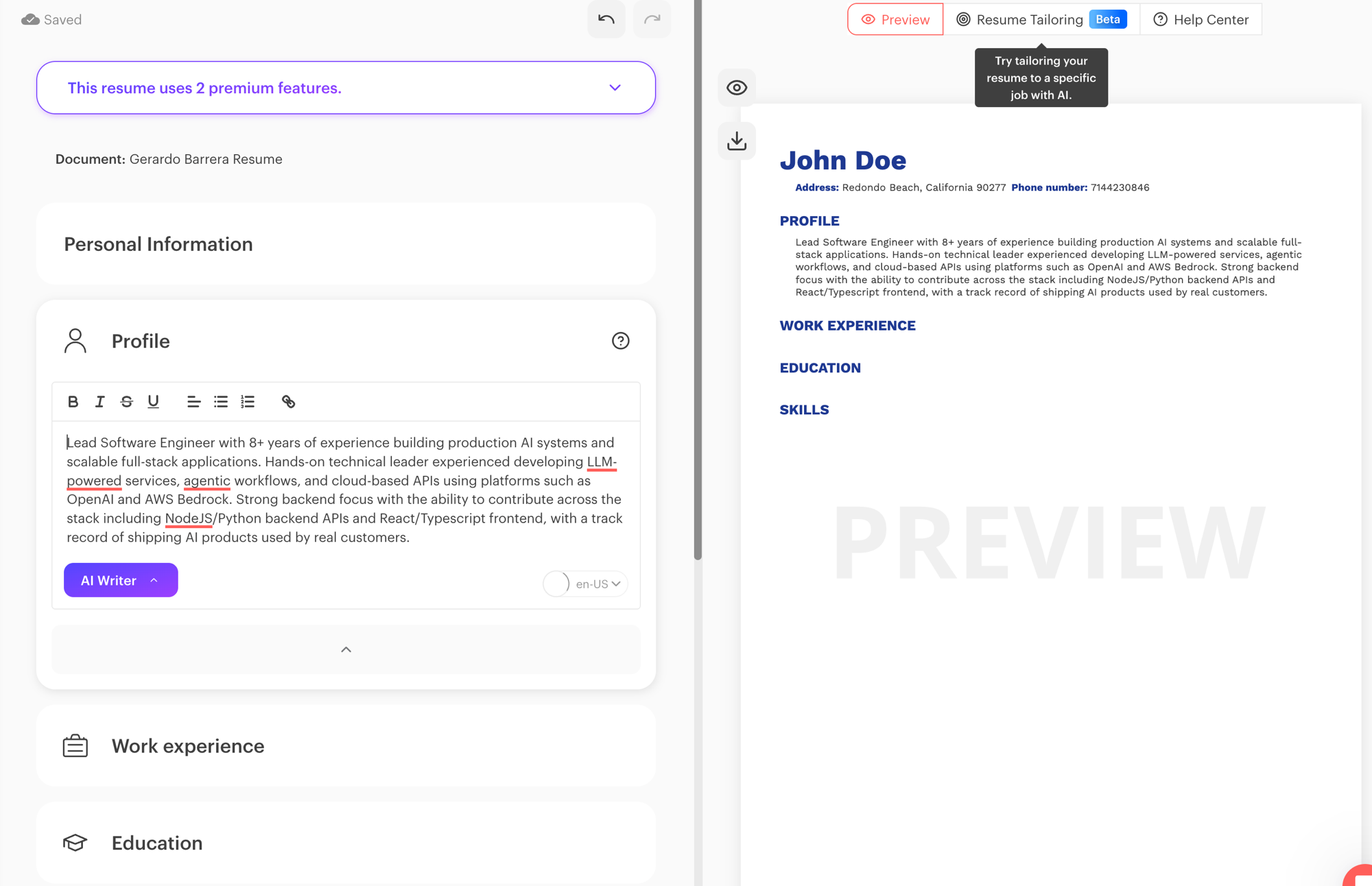
The editor is polished and the design quality is immediately obvious — templates look modern and professional in a way most builders don't reach, with sensible typography and layouts that don't feel templated even when they are. LinkedIn import works well and saves real setup time.
The free experience, though, keeps bumping into the paywall. You're limited to 4 templates, and the AI writing assistant — one of Kickresume's genuine strengths — sits almost entirely behind premium. Building on the free tier is pleasant right up until you want the thing you probably came for.
Exports we produced on the free plan carried no watermark; the limitation is feature breadth, not defaced output. That puts Kickresume's free tier a notch above the pay-at-download pattern, while still being far from free-tool territory.
Templates and AI writing
The template library is the best we've tested in this lineup: broad, current, and designed by people who clearly care about typography. ATS-friendly options exist alongside the more decorative designs — pick the cleaner single-column layouts when applying through online portals.
The AI assistant drafts bullet points, summaries, and full sections; quality is genuinely useful as a first draft. It's a premium feature in practice, so budget for the subscription if AI drafting is the reason you're here.
- Large, well-designed template library (mostly premium)
- 4 templates on the free tier
- AI writing assistant for bullets, summaries, and letters (premium)
- LinkedIn import for fast setup
- ATS-friendly single-column options among the designs
Pricing and free plan reality
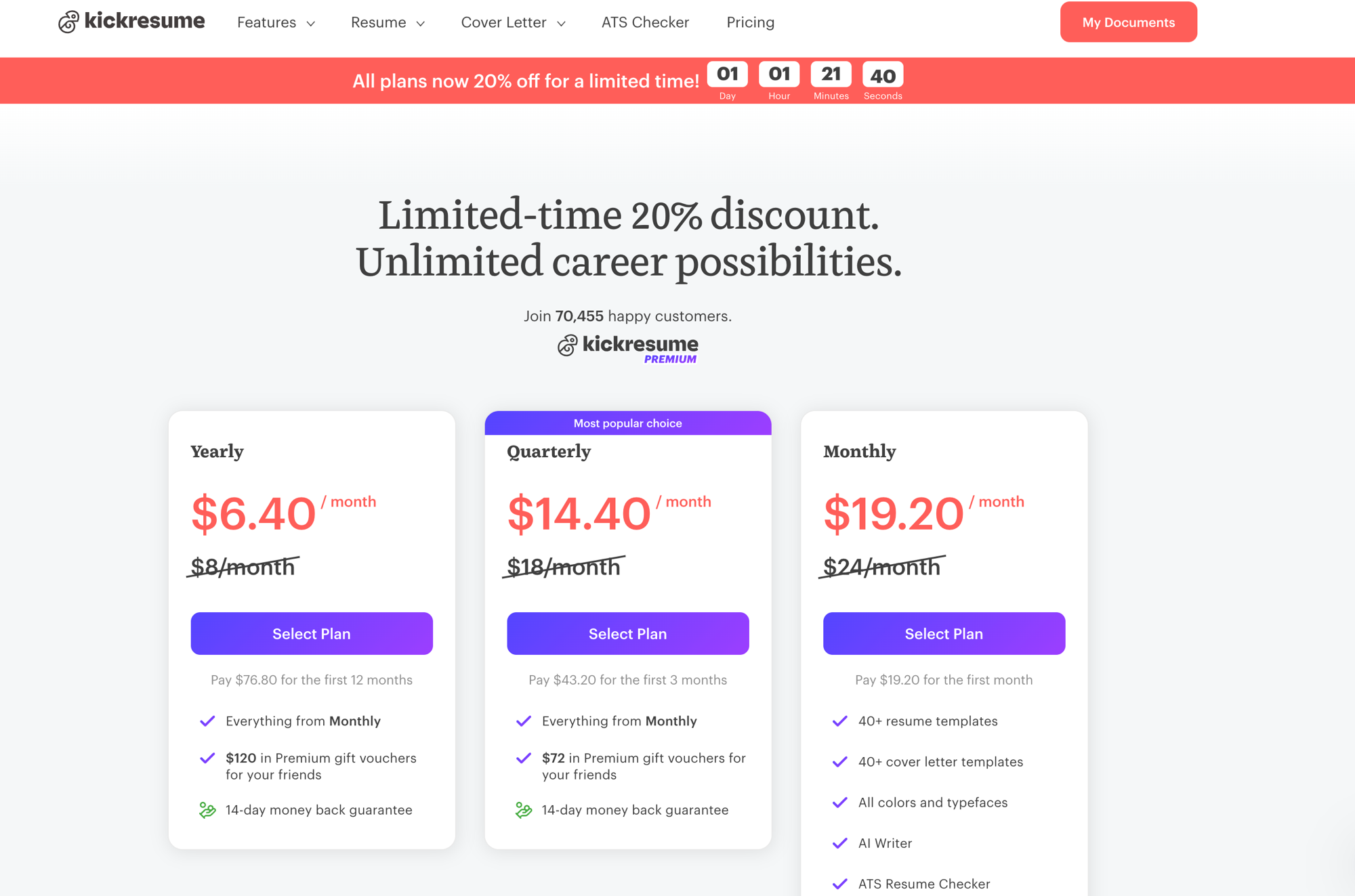
Free gets you a working builder with 4 templates and limited exports. Premium is $24/month month-to-month — or about $8/month billed yearly ($18/month quarterly) — and unlocks the full template library, the AI writing assistant, and cover letters. Discount promos are frequent. No credit card is required for the free tier.
For a three-month search, the quarterly plan runs about $54 (often less on promo) — worth it if design differentiation matters in your field (creative, marketing, client-facing roles), harder to justify if you mainly need a clean, parseable document.
| Plan | Price | What you get |
|---|---|---|
| Free | $0 | Builder with 4 templates · limited exports · no watermark · no card required |
| Premium | $24/mo · ~$8/mo billed yearly | Full template library · AI writing assistant · cover letters · all features |
Cover letters
Kickresume also generates cover letters with designs that match your resume — the most coherent application 'package' of the tools we tested, and the reason it appears in our cover-letter category too. As with resumes, the useful AI parts are mostly premium; on the free tier you're writing the letter yourself into a limited template set.
Who should use Kickresume?
- Design-sensitive fields — creative, marketing, client-facing roles where presentation differentiates
- People who'll pay for premium — the full library + AI + matching cover letters
- LinkedIn-first users — the import makes setup nearly instant
- Not for free-tier-only users — 4 templates and no AI makes it a preview
Pros and cons
Pros
- + Best-designed template library we've tested
- + AI writing assistant is genuinely useful (paid)
- + Matching resume + cover letter designs
- + LinkedIn import saves setup time
Cons
- − Free plan limited to 4 templates
- − AI writing and most features require premium (from ~$8/mo billed yearly)
- − Free tier feels like a demo built to upsell
Top alternatives
- FlowCV — an honest free plan with unlimited downloads, if you need one resume without paying
- JobScoutly — free AI writing and tailoring with no premium tier
Final verdict
Kickresume is the strongest paid product in our lineup — if you think of it as a paid tool (from ~$8/month billed yearly) with a free trial that never expires, everything about it makes sense. Judged purely as a free resume builder, it frustrates by design. Decide which product you're evaluating before you invest the hour. See the head-to-head in FlowCV vs Kickresume and Kickresume vs Rezi, or the full best free resume builders ranking.
Frequently asked questions
Is Kickresume free?
There's a free tier, but it's limited to 4 templates and excludes most AI features. The full product — template library, AI writing assistant, cover letters — requires premium: $24/month month-to-month, or about $8/month billed yearly.
Does Kickresume watermark free downloads?
Exports we produced on the free plan carried no watermark — the free tier's limitation is features, not defaced output.
Is Kickresume's AI writing good?
Yes — it produces useful first drafts for bullets, summaries, and cover letters. It's effectively a premium feature, so factor the subscription into your decision.
Is Kickresume good for cover letters?
Yes — it generates cover letters with designs that match your resume, the most coherent package we tested. The AI-assisted parts are mostly premium.
Are Kickresume templates ATS-friendly?
ATS-friendly options exist alongside more decorative designs. Pick the cleaner single-column layouts when applying through online application systems.
This review follows our published testing methodology — real signups, tested free plans, and export checks — under our editorial policy. Facts current as of the last-tested date; tell us if something changed.